Procurement Automation: A Practical Guide for Growing Companies, From Purchase Requests to Supplier Payments

Procurement in a growing company usually starts as a set of habits: a message to the office manager, a spreadsheet of suppliers, an invoice forwarded to the bookkeeper. These habits work while purchase volume is low and one person remembers every order. This guide shows how procurement automation turns them into a controlled process that runs from the first purchase request to the supplier payment, and how to introduce it on top of the tools a company already uses.
Why procurement breaks as a company grows
Costs and delays accumulate as order volume rises and the process stays the same as it was at ten employees. Four patterns come up again and again:
- Requests arrive through email, chat, and hallway conversations, so nobody can say how many purchases are open or who asked for what.
- Approvals depend on specific people, and an order waits for days when the one manager who knows the budget is traveling or on leave.
- Supplier contacts, price lists, and payment terms sit in personal spreadsheets, which means two employees can buy the same item at two different prices.
- Invoices are typed into the accounting system by hand, and each retyped line adds a chance of a wrong amount, a duplicate payment, or a missed due date.
APQC benchmarking data makes the cost visible: organizations at the 25th percentile spend about $14 to process a single purchase order, and those at the 75th percentile spend $54.50.
What procurement automation is and how rules differ from AI
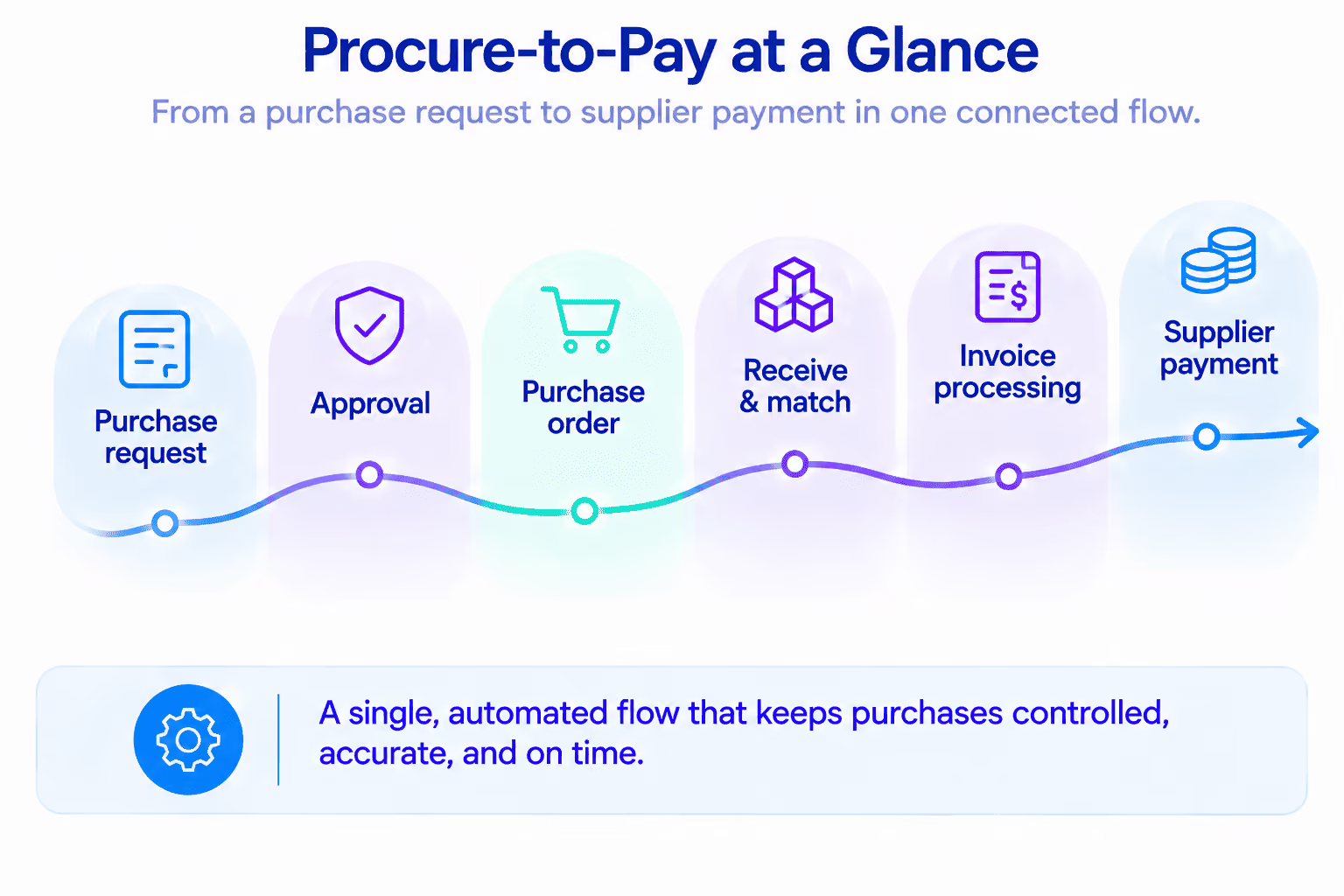
Procurement automation is software that moves a purchase through its stages, with data passing from one step to the next without retyping. A request becomes a purchase order, the order is matched with a delivery note and an invoice, and the approved invoice lands in accounting ready for payment. The system takes over routing, data transfer, reminders and checks, which leaves people with the decisions.
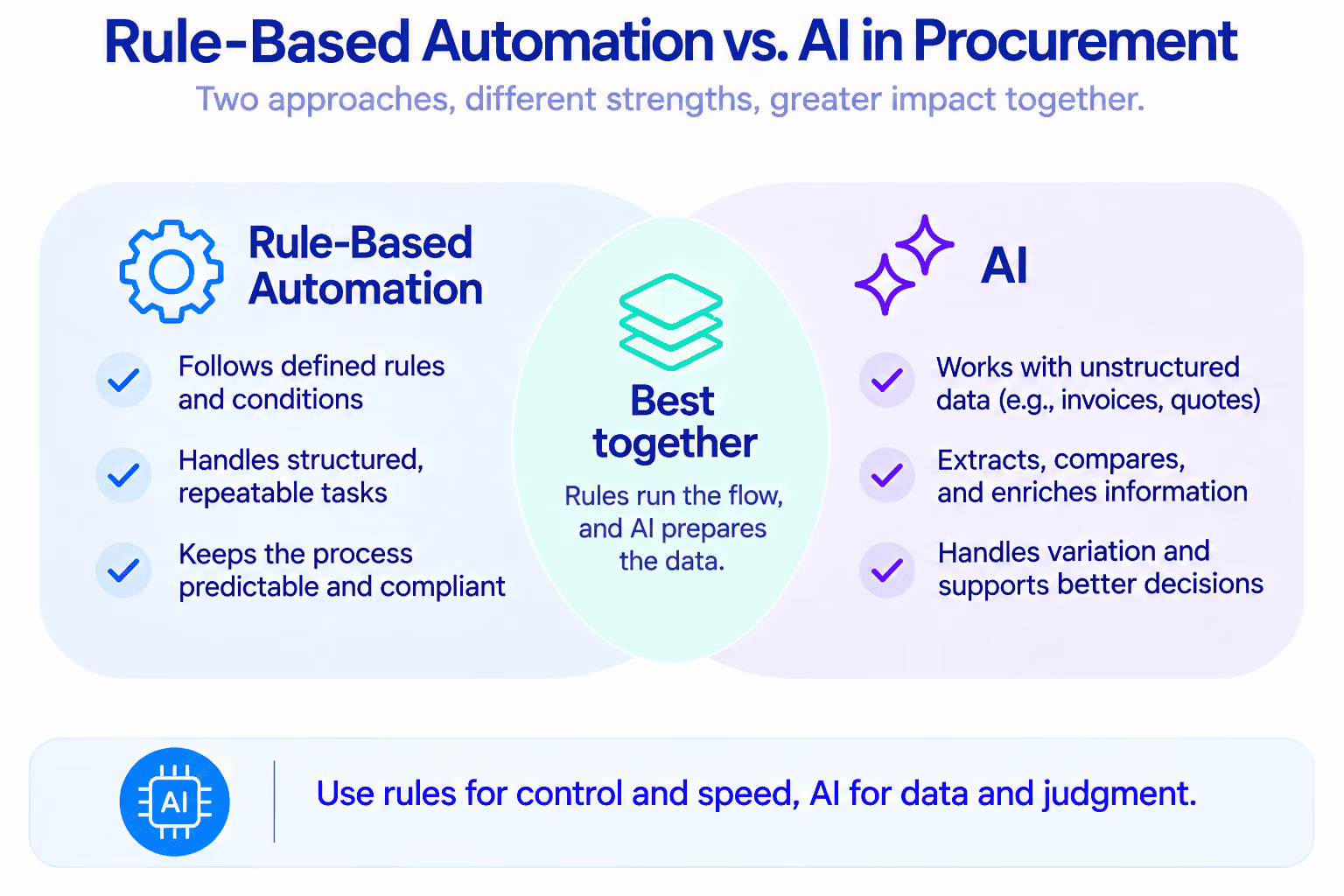
Two technologies do this work, each suited to a different kind of task. Rule-based automation follows explicit conditions: a request above a set amount goes to the finance lead, and a matched invoice is posted to the ledger. AI handles inputs that arrive without a fixed structure, such as a PDF invoice from a new supplier or three quotes written in three different formats. Most practical automation in procurement combines both, with rules governing the flow and AI preparing the data those rules need.
Structured, repeatable steps belong to rules, and robotic process automation services cover the cases where an older system has no API and data has to be moved through its interface. Unstructured documents and comparisons that resemble human judgment are the work that AI procurement automation handles better.
The procure-to-pay process step by step
Procure-to-pay (P2P) is the full chain from a purchase request to a payment sent to the supplier. Each stage works as a handoff, and procurement process automation holds up best when every handoff has a clear owner, a clear input, and a number that shows whether the stage is healthy.
The later stages of this chain overlap with accounts payable, which we cover in the guide to payment automation: invoices, payables, receivables and reconciliation. Procurement also sits next to finance, HR and order administration in our back office automation playbook.
Purchase order automation: from request to three-way match
The purchase order turns an internal need into a commitment to a supplier, which makes it the natural center of procurement automation. Purchase order automation covers five connected functions:
- An approved request becomes a PO without retyping, with the supplier, items, prices and delivery address pulled from the request and the supplier record.
- Approval limits and routes are stored as rules, so a $400 order for consumables is approved by a team lead and a $15,000 equipment order goes to the finance director.
- The PO is sent to the supplier by email or through a portal, and the supplier's confirmation is recorded against the order.
- Every order carries a status, from drafted and approved to received, invoiced and paid, that any employee can check without asking the buyer.
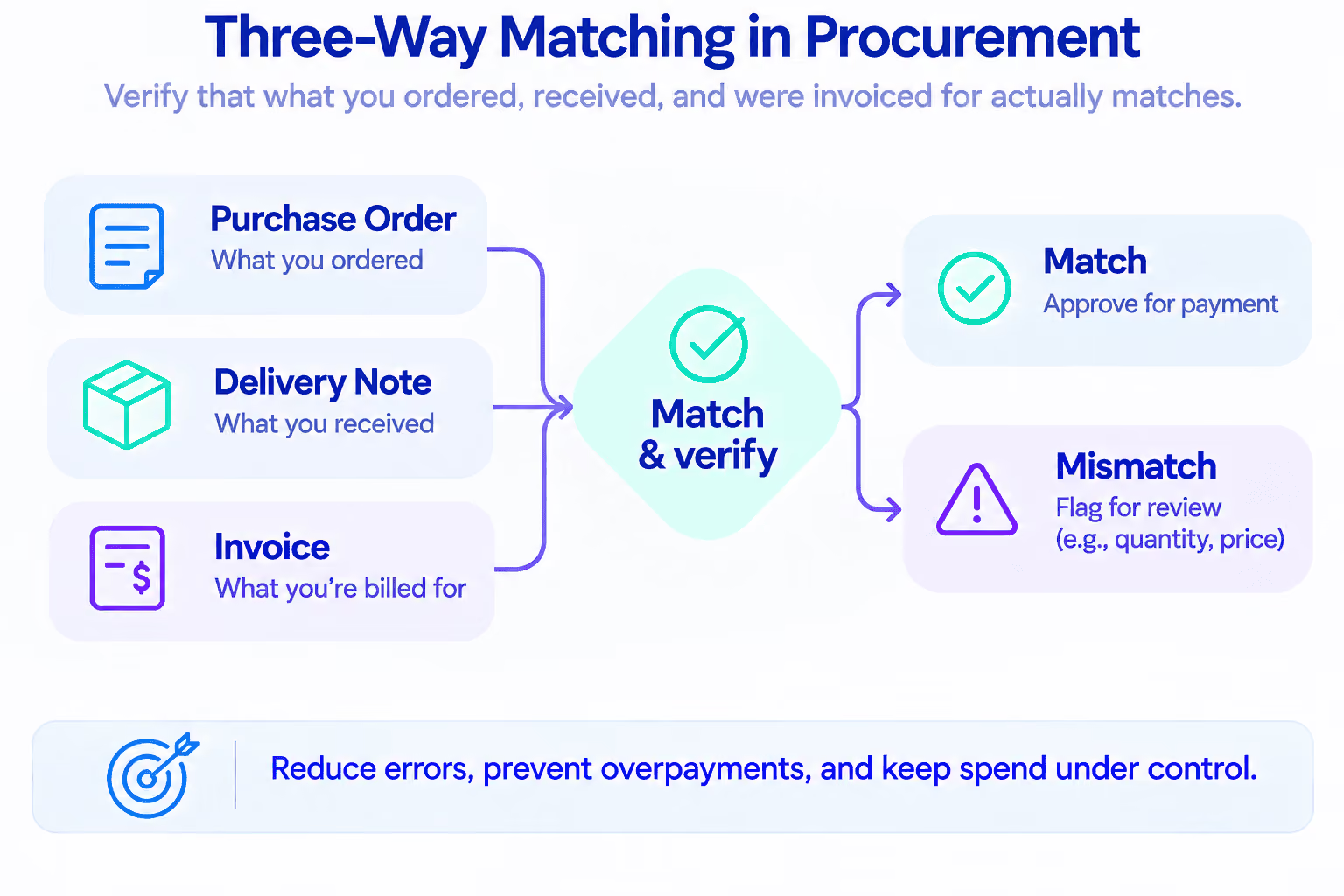
- Three-way matching compares the PO, the delivery note and the invoice before any money leaves the company.
Within purchase order automation, three-way matching deserves particular attention because it protects cash. The system checks that the supplier invoiced the quantity that was ordered and received, at the price that was agreed. Invoices that match within a set tolerance move to the payment run without manual review. Invoices with a difference go to a named person together with the three documents and the specific line that failed.
Purchase order automation for small businesses works without a large procurement suite. A company that issues 40 to 60 orders a month can run the entire flow with a request form, a set of approval rules and a connection to its accounting system. The same structure serves hundreds of orders later, since procurement workflow automation keeps the rules in place as the volume grows.
Connecting procurement to the systems you already run
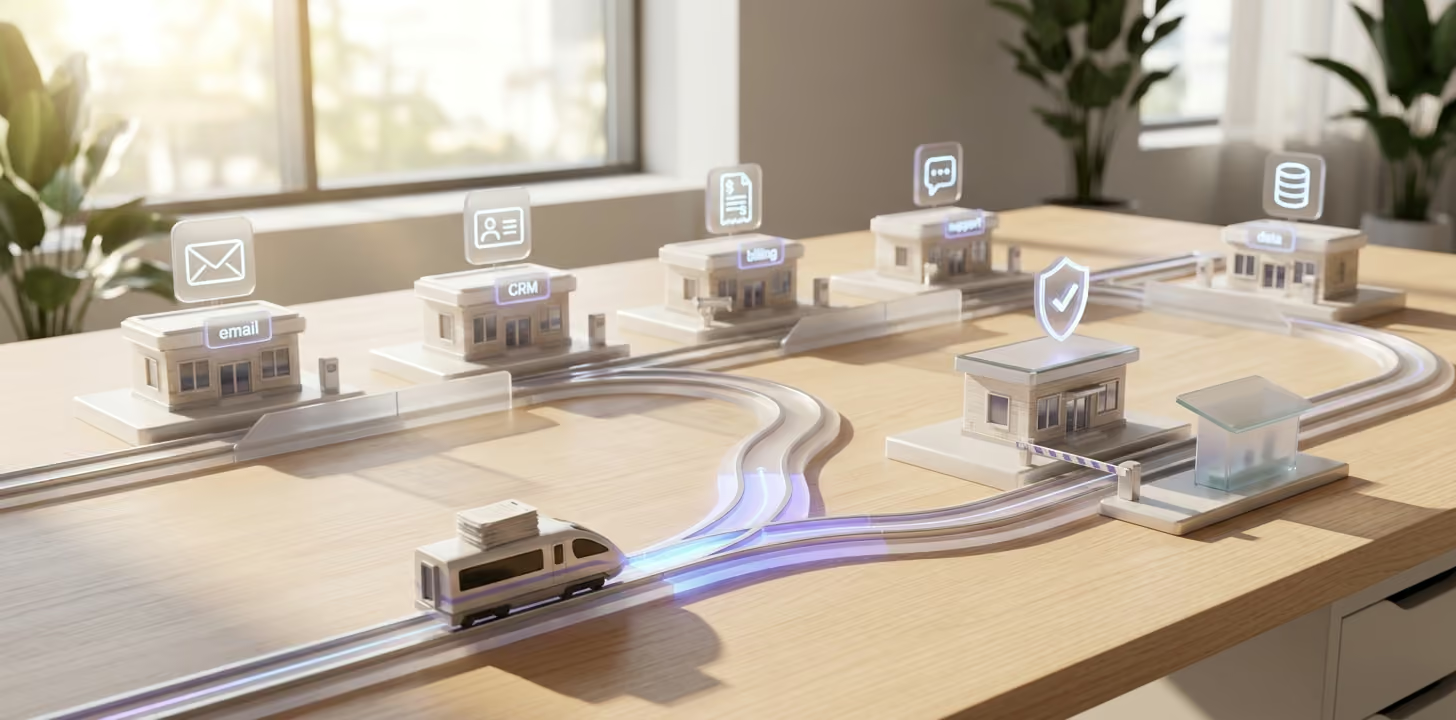
Growing companies usually have working tools for accounting, inventory and sales, and replacing them is expensive and risky. Procurement workflow automation can sit on top of those tools and connect them in four places:
- QuickBooks or another accounting system receives approved bills with the correct vendor and account, and returns the payment status.
- The ERP or inventory system provides stock levels and reorder points, and receives expected delivery dates.
- The warehouse records deliveries against open orders, which closes the loop for matching.
- The CRM or job management system links each purchase to a customer order or project, so material costs are visible per job.
The condition that makes these connections reliable is a single supplier master: one record per supplier with legal details, contacts, agreed prices, payment terms and lead times. Every PO, delivery note and invoice refers to that record. Our article on a single source of truth in manufacturing explains why this layer often has to exist outside the ERP. Teams that need a shared view of open orders and spend usually get it through custom apps and reporting dashboards built on the same data.
AI agents in procurement and where people decide
An AI agent is AI that handles a defined task and takes actions within set limits. Approval limits and matching rules stay in predictable automation that runs the same way every time. In procurement, agents are most useful in three areas.
Comparing supplier quotes. An agent collects quotes received by email, brings prices to the same unit and currency, adds delivery time and payment terms, and presents a side-by-side summary with each supplier's history.
Extracting data from invoices and delivery notes. Data extraction and recognition turns PDFs and scans into structured lines with item, quantity, price and tax. The approach is described in our guide to automated data entry from PDFs with AI parsing. For X-Cel Technologies, a U.S. CNC manufacturer, we used it on the billing side: the flow reads PDF packing slips (the delivery notes shipped with goods) and creates customer invoices in QuickBooks Online. The case study on AI automation for manufacturing, from PDFs to invoices reports that invoice creation went from 10–15 minutes to about one minute.
Monitoring deliveries and prices. An agent checks open orders daily, asks suppliers for confirmation when a delivery date approaches, and flags invoices where the unit price is above the agreed one.
Companies that want this capability shaped around their own documents and suppliers typically begin with AI agents development for one task, such as invoice intake.
AI procurement automation needs clear boundaries, and the following decisions should remain with a person:
- Selecting a new supplier or changing the main supplier for a critical item.
- Approving spend above the set limit or outside the budget.
- Accepting a price increase or a change in payment terms.
- Resolving a disputed delivery or a quality claim.
- Releasing a payment when the match failed and the reason is unclear.
The agent prepares the facts and a recommendation. The decision and the accountability for it stay with the person. Exceptions need the same care as the main flow, which is the subject of our article on designing workflows for edge cases.
Off-the-shelf procurement software or custom automation
Both routes to procurement automation are valid, and the right choice depends on how standard the process is and how many systems it touches.
Industry scenarios
Automation in procurement takes a different shape in each industry, since the event that triggers a purchase differs.
Manufacturing: materials and components per order
A confirmed customer order triggers a check of the bill of materials against stock. Missing items become purchase requests grouped by supplier, and the expected delivery dates feed the production schedule. For X-Cel Technologies, a precision CNC manufacturer, we built one system for sales, work orders, scheduling and maintenance, where purchase orders sit on the same dashboard as quotes and production status. The case study reports an 18% rise in on-time order completion.
Contractors and home services: purchasing per job
Each purchase is tied to a job number at the moment of the request. A technician orders materials from a phone, the project manager approves within the job budget, and the cost appears in job profitability the same day. For Consumer Direct Windows & Doors, a residential contractor, vendor details and line items are extracted from incoming PDF invoices. The contractor case study reports over 90% less manual data entry across the automated workflows.
Distribution: replenishment and price control
Reorder points and sales forecasts generate replenishment proposals for the buyer to review. A distributor, for example, gets a morning list of items that will run out within the supplier's lead time, with a suggested quantity and the last agreed price. Approved proposals go to suppliers as POs, and price changes on incoming invoices are flagged before they reach margins.
Cost and ROI: an example for 50, 200 and 500 requests a month
The benefits of procurement automation are easiest to estimate through hours of manual processing. The example below uses illustrative assumptions that each company should replace with its own figures: 45 minutes of hands-on work per request across the whole cycle before automation, 12 minutes after, and a loaded labor cost of $35 per hour. The project budgets and running costs are assumptions for the calculation as well, and a real budget is confirmed once the workflow, systems, rules and volume are scoped.
The calculation counts labor only, and in practice the return also includes fewer duplicate and late payments, early-payment discounts, and price deviations caught before payment. Ardent Partners' AP Metrics that Matter in 2025 report puts invoice processing in top-performing teams at $2.78 per invoice and 3.1 days, compared with $12.88 and 17.4 days for other organizations. A fuller method that includes indirect effects is in our guide on how to calculate automation ROI.
At 50 requests a month, which is where purchase order automation for small businesses usually starts, the payback takes under four months. The benefits of procurement automation at this size also include control, with every purchase approved and every invoice matched. In this example, from 200 requests upward, the time savings cover the project in under three months.
Implementation plan and common mistakes
A procurement process automation project runs well in four steps.
- Audit the current process. Map how a request travels today, who touches it and where it waits. Operational discovery before automation shows where the real bottlenecks are before anything is automated, and business optimization and analytics provides the baseline numbers.
- Clean the supplier master. Merge duplicates, confirm payment terms and agreed prices, and assign an owner for future changes.
- Run a pilot on one flow. A good candidate is the path from the PO to the invoice recorded in accounting, since it has clear inputs and a measurable result.
- Measure and extend. Compare the pilot with the baseline for four to six weeks, and then add requests, approvals and payments.
Two mistakes account for most disappointing projects. The first is automating chaos: when approval rules are unclear and supplier data is inconsistent, software reproduces the confusion at a higher speed. The second is buying point solutions with no connection to accounting, which leaves the team with a tidy request tool and the same manual invoice entry as before.
A procurement automation project also needs input from the company: access to the systems involved, a person who knows how purchasing works today, clear approval rules, test data and timely feedback. Once live, the automation needs monitoring and occasional changes as suppliers, prices and rules change.
Conclusion: where to start and what to measure
Start procurement automation with the stage that consumes the most manual hours, which for most growing companies is the stretch between the purchase order and the invoice in accounting. Establish the supplier master, automate one flow, and expand once the numbers confirm the result. Four metrics show whether procurement automation is working:
- Time from request to PO shows how fast approvals and order creation run.
- The share of invoices posted without manual edits tells you whether supplier data and matching can be trusted.
- Purchases made outside the process reveal how fully the team has adopted the new flow.
- Overdue deliveries point to supplier performance and to the quality of follow-up.
Atomic Actions builds procurement process automation on this principle: the tools that still fit stay, and we connect them and automate the work between them, starting with a map of how purchasing runs today.
FAQ
What is procurement automation in simple terms?
Procurement automation means that every purchase moves through one connected flow, from the request to the payment. Software handles routing, data transfer and checks, and employees handle decisions and exceptions.
How does purchase order automation relate to the wider process?
Purchase order automation is the middle part of procure-to-pay. It covers creating the PO from an approved request, sending it to the supplier, tracking its status and matching it with the delivery note and the invoice.
Do we need to replace QuickBooks or our ERP?
In most cases the answer is no, since procurement workflow automation can run on top of current systems and exchange data with them through APIs or RPA. Accounting, inventory and CRM remain the systems of record.
What can AI do in procurement today?
AI procurement automation covers reading invoices and delivery notes in most layouts, comparing supplier quotes, and monitoring delivery dates and price deviations. Supplier selection, spend above the limit and disputed invoices stay with people.
How long does implementation take?
The shortest route is a procurement process automation pilot on one flow with a defined scope. Its timeline is confirmed after scoping, since it depends on the systems involved, the integrations, and how quickly the team can provide access and make decisions.
At what volume does automation in procurement pay off?
In our example, companies with 200 or more requests a month recover the investment in under three months on labor savings alone. At 50 requests a month, the same example pays back in under four months.
You might also like