n8n vs Zapier vs Make: Which Automation Platform Fits Your Business Workflows and AI Agents in 2026?


Choosing an automation platform affects workflow design, costs, maintenance, and how safely your team uses AI. Zapier, Make, and n8n differ in integrations, billing, and infrastructure. This guide compares n8n vs Zapier vs Make across pricing, reliability, AI agents, security, and scalability.
n8n vs Zapier vs Make: The Short Answer
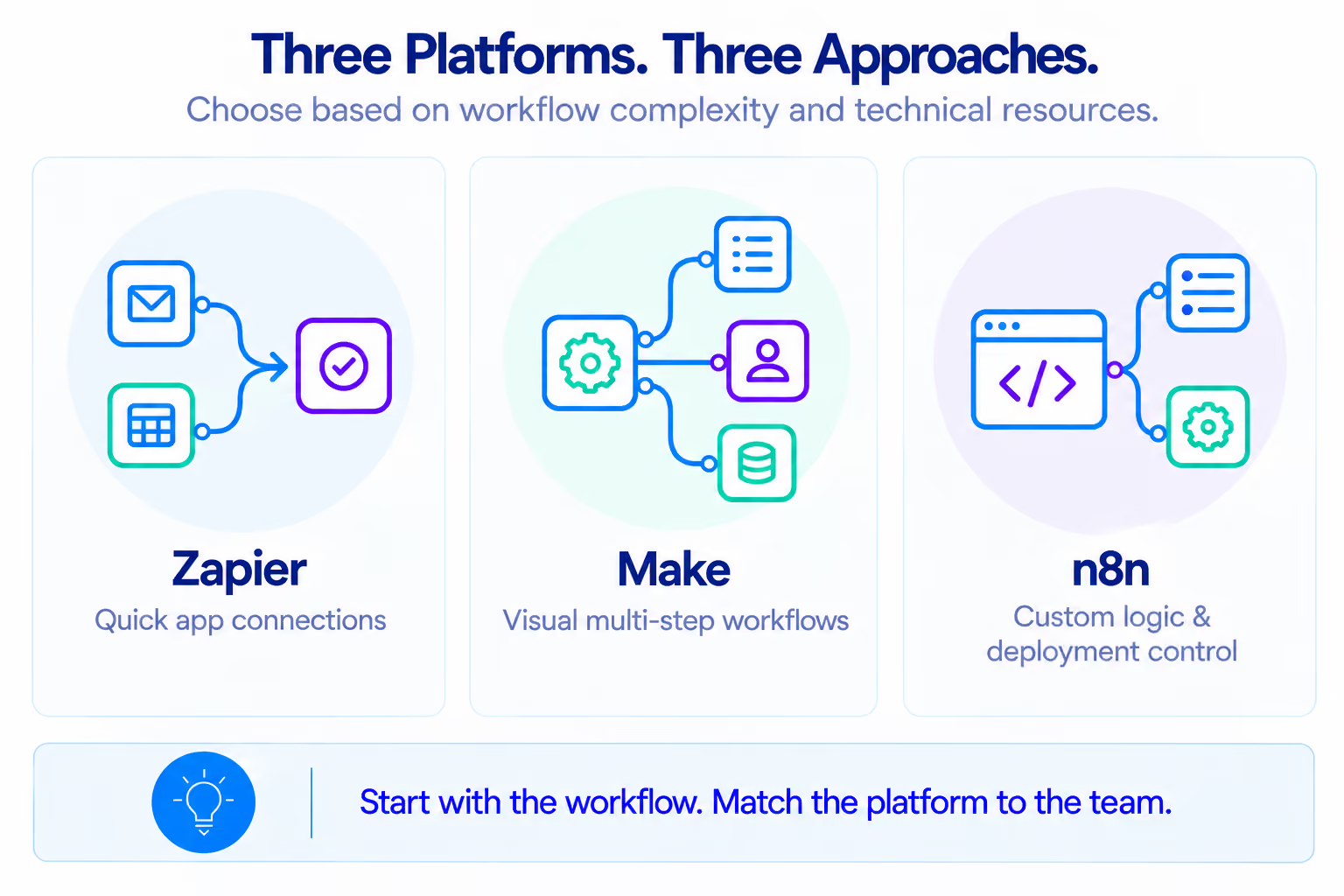
Zapier is often the easiest starting point for standard integrations. Make suits teams that need visual control over multi-step workflows. n8n is a strong option for technical teams that need custom logic, AI workflows, or deployment control.
In an n8n vs Zapier evaluation, the right choice depends on the process, the team's skills, and the consequences of failure. A form-to-CRM integration has different needs from invoice processing or an AI agent that updates internal records.
How the Workflow Builders Differ
Zapier: Triggers and actions
Zapier organizes workflows into Zaps, where triggers start processes and actions perform tasks in connected apps. Filters, Paths, and built-in tools add conditional logic, formatting, and loops. For example, a form submission can create a CRM contact, notify a team in Slack, and schedule a follow-up.
Zapier suits businesses that need to:
- Connect common SaaS apps quickly.
- Automate lead management and notifications.
- Let nontechnical teams maintain workflows.
- Avoid infrastructure management.
As workflows grow, dependencies between Zaps can become harder to track. Keep processes modular or handle complex logic separately. In an n8n vs Zapier comparison, Zapier requires less technical maintenance for standard integrations.
Make: Visual scenarios
Make builds workflows from modules, using routers, filters, iterators, and aggregators to manage branches and data. A purchasing scenario, for example, can route orders for approval, process line items, and send validated data to accounting.
The Make vs Zapier choice often depends on branching, data transformations, and error handling. Large scenarios also require clear naming, modular design, and documented error routes.
n8n: Nodes, code, and deployment flexibility
n8n combines a visual editor with JavaScript, Python, HTTP requests, and custom integrations. Workflows can process documents with AI, validate extracted fields, and update applications. For teams evaluating n8n vs Zapier, custom code and deployment flexibility are key considerations.
It offers Cloud and a self-hosted Community Edition. In an n8n vs Make comparison, n8n gives technical teams more control over code and deployment, while Make emphasizes visual scenario building.
The comparison table highlights the practical differences: Zapier prioritizes managed integrations, Make offers visual control over data flows, and n8n gives developers more room for custom code and infrastructure decisions.
Pricing: Tasks, Credits, and Executions
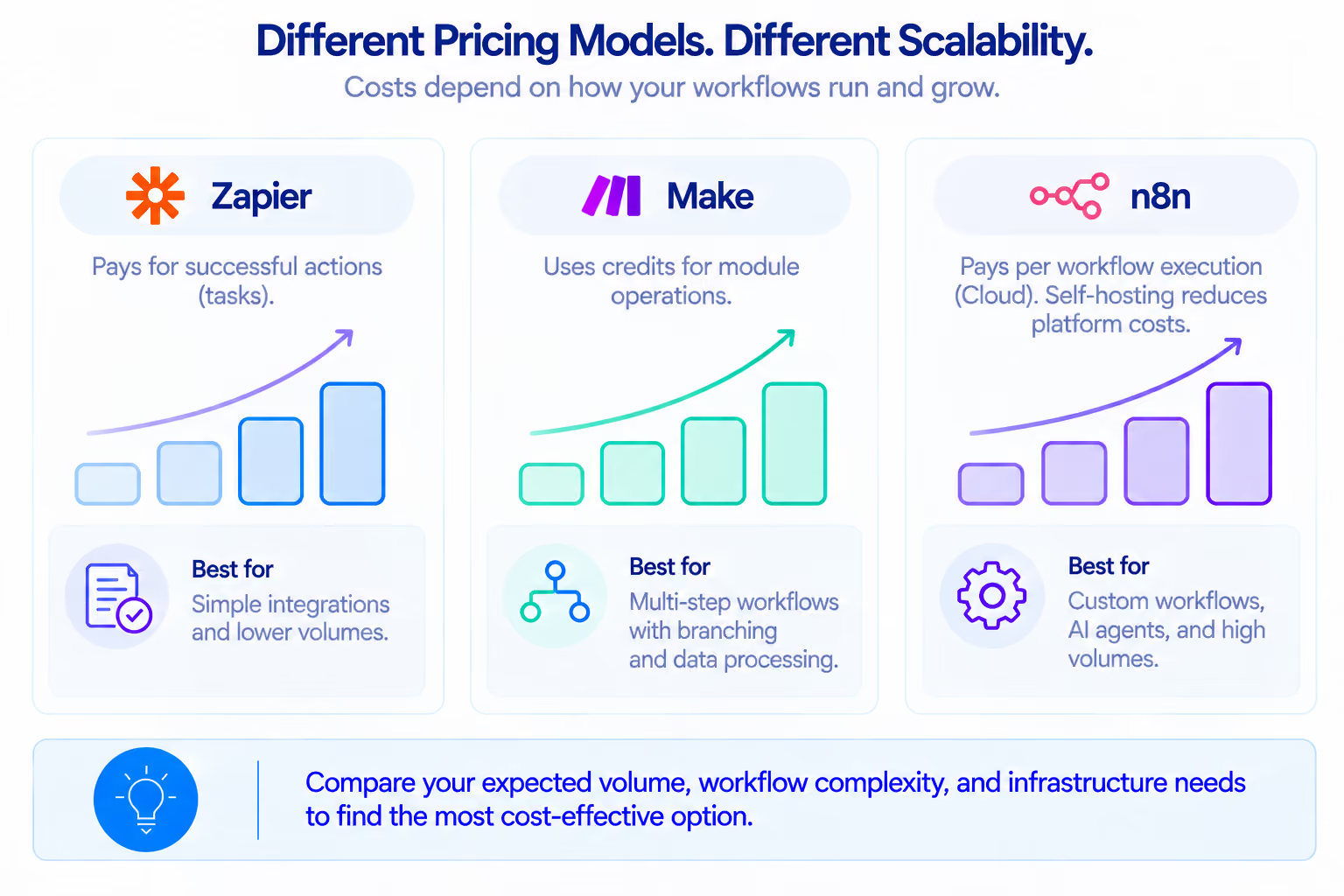
A workflow that runs 10,000 times per month does not cost the same across platforms. Compare billable actions, not just workflow starts.
How billing works
- Zapier tasks: Successful actions generally count as tasks; triggers and some built-in tools are excluded. MCP tool calls consume two tasks.
- Make credits: Most module operations use one credit, while some AI features charge based on token usage.
- n8n executions: Each complete n8n Cloud workflow run counts as one execution, regardless of node count. Self-hosting adds infrastructure and maintenance costs.
Compare the same workflow
Assume a lead workflow triggers on a form submission, validates the data, updates a CRM record, creates a follow-up task, and sends a notification. For illustration, count three successful actions as Zapier tasks, four module operations as Make credits, and one complete workflow run as an n8n Cloud execution. Actual usage depends on the connectors and modules selected.
These units are not interchangeable. Zapier and Make measure actions inside a workflow; n8n Cloud counts the complete run. A Make vs Zapier comparison should account for the number of billable operations each workflow generates, since the same process can consume different amounts of each platform's allowance.
Published pricing and workload
Prices are based on published plans as of October 2026.
At 10,000 monthly runs, the example requires 30,000 Zapier tasks, 40,000 Make credits, or 10,000 n8n Cloud executions. Make Core's allowance is insufficient, while n8n Pro covers this volume at its annual-billing rate. At 100,000 runs, all three platforms require higher allowances or a custom infrastructure assessment. AI fees, taxes, and maintenance are excluded.
In an n8n vs Zapier vs Make comparison, the key pricing difference is the billing unit: n8n charges per execution, Make by module activity, and Zapier by successful actions and feature-specific rates. With self-hosted n8n, executions also consume the operator's computing resources.
Also account for AI fees, infrastructure, maintenance, and time spent fixing failures. Our automation ROI guide explains how to assess these costs. In Atomic Actions' Be Known case, automation replaced approximately $1,500 in monthly manual labor (18,000 annually), while automation costs remained below $10 per client per month. This illustrates why the business case should include labor savings alongside platform fees.
Complex Logic and Reliability
A workflow that works for ten test records may fail at higher volumes. API rate limits, execution timeouts, duplicate triggers, and infrastructure capacity are often the first constraints to appear.
Common failure points include:
- Rate limits: APIs reject excess requests.
- Duplicates: retries can create duplicate records.
- Missing data: downstream steps lack required fields.
- Unmanaged failures: stopped runs go unnoticed.
- Infinite loops: updates retrigger workflows.
- Capacity limits: infrastructure runs out of resources.
Reliable workflows need explicit retry rules, duplicate prevention, alerts, and recovery steps. For example, a payment workflow should check a unique transaction ID before creating a record, so reprocessing the same event does not create a second payment or invoice record. Compare how each platform handles recovery in multi-step workflows.
Test connectors and plan limits before launch. For guidance on handling missing data, failed integrations, and unexpected errors, see Designing Workflows for Edge Cases.
AI Agents: What Can Each Platform Do?
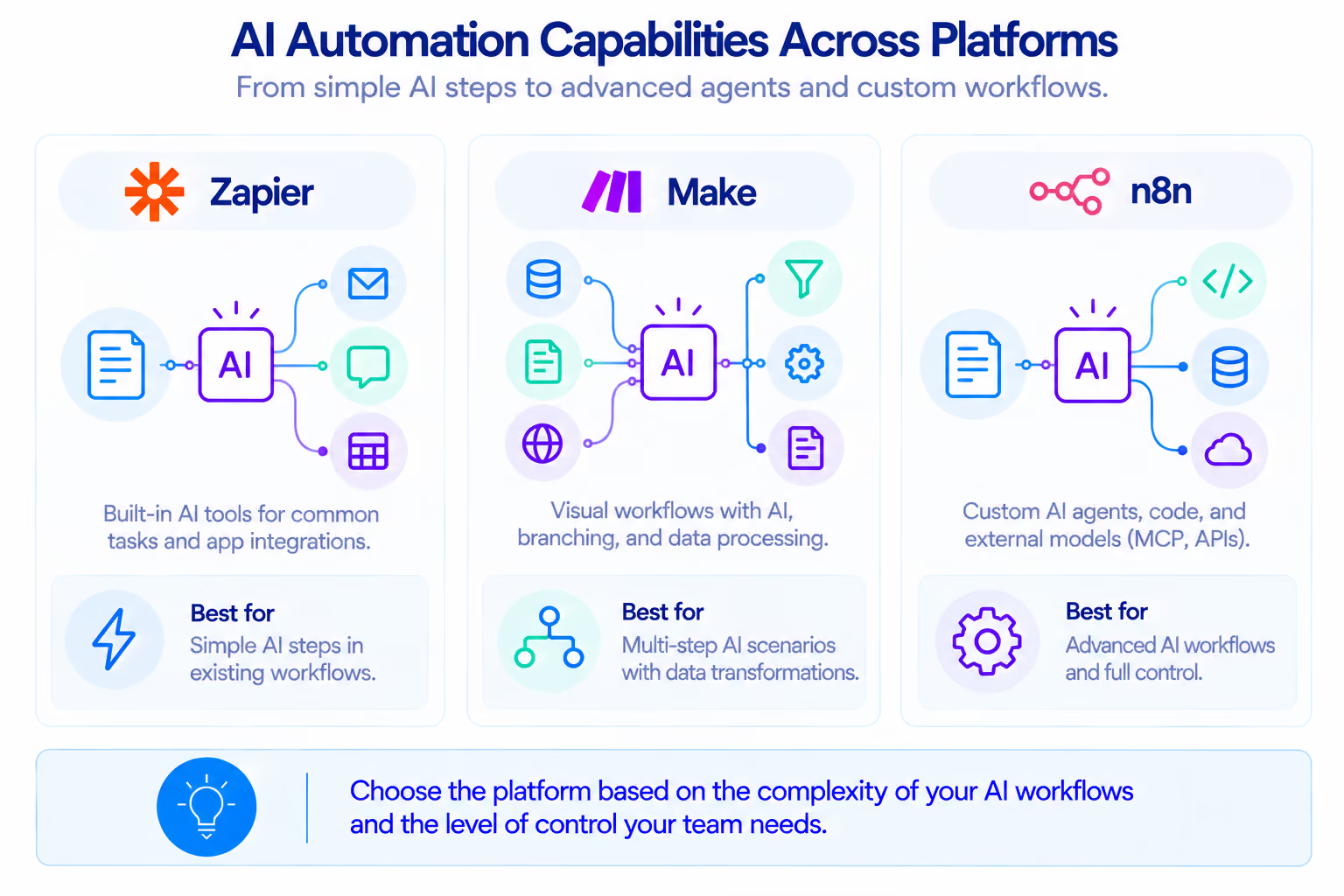
Traditional automation follows defined rules. AI can classify messages, extract document fields, or summarize requests. An AI agent can also choose among available tools to pursue a goal within defined limits.
Zapier: AI steps, Agents, and MCP
Zapier offers AI steps and Zapier Agents for workflows using connected apps. Teams can classify leads, summarize requests, prepare drafts, and update records. Zapier MCP lets compatible AI clients call connected app actions through the Model Context Protocol.
An agent could gather lead information, prepare a CRM update, and create a follow-up task. Restrict its available actions and require review for consequential changes.
Make: AI Agents and visual workflows
Make AI Agents can use connected apps and MCP tools to interpret requests, select actions, and coordinate tasks within visual scenarios. Teams can combine agent decisions with filters, routers, and validation modules, while managing permissions, checking outputs, and monitoring complex workflows.
Atomic Actions also developed an AI agent for content generation that reduced processing time from 4–6 hours to around 10 minutes, improved speed by 92%, and increased production capacity by 400%. See the AI content generation case study for details.
Atomic Actions implemented a related AI-assisted Make workflow for X-Cel Technologies, a CNC manufacturer and electronics distributor. Using Make, Parsio, ChatGPT API, and QuickBooks Online, the system reduced invoice creation from 10–15 minutes to about one minute and enabled the team to process 3× more invoices without additional staff. It also flags missing data and sends email or SMS alerts. See the invoice automation case study.
A Swiss food producer used Make, OpenAI, and Google Sheets to automate laboratory report processing. The workflow cut processing time from around 15 minutes to under one minute per report, achieved 90%+ parsing accuracy on supported lab report formats, and uses OCR for scanned PDFs while flagging reports with multiple samples for review. See the food production lab results case study.
n8n: AI Agent node and MCP
n8n’s AI Agent node connects models and tools, allowing agents to interpret requests, retrieve data, and validate results before updating records. Teams can restrict tool access and require human approval for consequential actions.
The MCP Client Tool lets n8n agents connect to external MCP servers and use their tools. On n8n Cloud, Python execution has limitations on importing external libraries, which may affect workflows that rely on custom packages.
For teams comparing Zapier vs Make for AI workflows, the decision depends on the required agent capabilities, connected tools, and how much control they need over each step.
AI workflows also introduce usage and data-processing constraints. Zapier Agents have separate activity limits, and some AI providers may process data outside the automation platform's primary hosting region. Check provider terms, execution limits, and approval requirements before deploying agents in sensitive workflows.
All three platforms support AI workflows, but outputs still need validation, restricted permissions, exception handling, and logging. Use AI to interpret variable inputs and code to enforce fixed business rules and calculations.
For workflows that need more advanced reasoning and tool use, explore Atomic Actions’ AI Agents Development. For extracting and validating information from PDFs, invoices, and other unstructured documents, see Data Extraction and Recognition.
Data, Security, and Self-Hosting
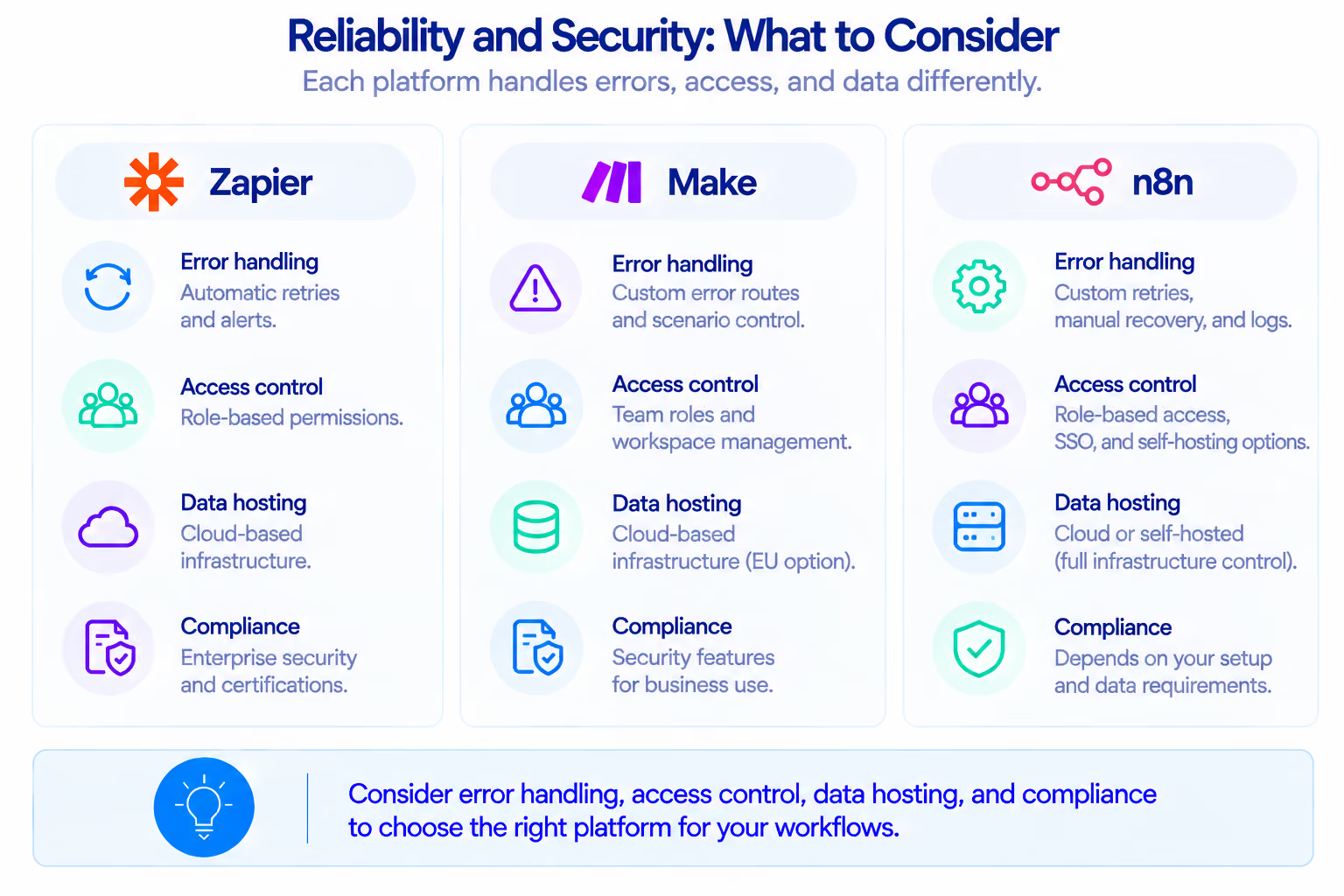
Automation may handle customer records, financial documents, credentials, and AI prompts. Confirm where data is processed, who can access it, how long logs are retained, and how permissions are revoked.
For enterprise access governance, compare SSO/SAML, SCIM provisioning, and role-based permissions across plans. Data residency can be decisive for EU-based operations and regulated industries. Also check where connected AI providers process prompts and uploaded documents.
For sensitive data, check where platforms and AI providers process information and what their certifications cover. Self-hosting offers more control but makes your team responsible for security, updates, backups, and incident response.
Which Platform Fits Your Business?
Small team without developers
For lead capture, CRM updates, follow-up emails, and notifications, Zapier is a sensible starting point when standard integrations cover the process. In a Zapier vs n8n comparison, Zapier is easier to maintain when a team has limited developer resources. Make is worth considering when workflows require multiple branches, data transformations, or repeated record processing. The n8n vs Zapier choice also depends on whether the team can maintain custom workflows. For a broader overview of how RPA, AI, and CRM work together in small businesses, see our small business automation guide.
Recommendation: Zapier for straightforward integrations; Make for more involved visual workflows. Assign an owner and document what the automation changes.
Growing SMB with an operations team
A growing business may use a CRM, accounting software, spreadsheets, and project management tools. Employees often copy information, chase updates, and correct discrepancies. Make can suit workflows with clear branches and data transformations. A Zapier vs Make comparison helps assess simpler integrations against more detailed visual workflow control. Zapier remains useful for simple connections; n8n becomes attractive when custom logic is required. A Make vs Zapier evaluation should also consider documentation, maintenance, and recovery at higher volumes.
Recommendation: Evaluate Make for multi-step workflows and retain existing automations that work well. Introduce shared naming, documentation, and monitoring standards.
Technical team and sensitive data
Companies with developers and specific infrastructure requirements may choose n8n for custom code, integrations, AI components, and self-hosting. An n8n vs Zapier comparison for AI workflows should consider the level of control required over custom logic, connected tools, and agent permissions. Teams also need capacity to maintain the environment, secure credentials, and handle updates and backups. The n8n vs Make decision depends on the required control and available technical resources.
Recommendation: Consider n8n when custom logic or deployment control is essential. Assess Cloud and self-hosting against your security and maintenance requirements.
Atomic Actions is a Certified Make.com Partner and a Zapier Silver Solution Partner. Our platform recommendations are based on each client's workflow requirements, existing tools, and technical resources.
When Does a Hybrid Stack Make Sense?
A company might use Zapier for standard SaaS integrations, Make for a complex document scenario, and n8n for a custom AI agent. This works when each platform has a defined role. A Make vs Zapier comparison can help determine which platform should handle complex scenarios when a business is consolidating its automation stack.
The risk is an automation zoo: unclear ownership, duplicated rules, and no reliable view of which system owns the current record. In the Be Known case, Atomic Actions removed the company's dependency on Zapier and consolidated its automations in Make. The onboarding process was reduced from up to two weeks to under 15 minutes, saving more than 40 hours per month.
Maintain an inventory of each workflow's owner, trigger, source, destination, dependencies, and failure alerts. Use shared conventions for naming, credentials, documentation, and monitoring.
Avoid copying the same business rule across several tools. If an approval threshold changes, the team should know where the rule lives and which workflows depend on it.
When Have You Outgrown No-Code?
There is no universal number of workflows that marks the limit. Before adding another tool, map the existing process and identify where work breaks down. Our guide to operational discovery before automation explains why understanding the process should come before choosing a solution.
Look for these signs:
- Rising costs: repeated actions add expense without value.
- Scattered data: teams manually reconcile conflicting records.
- Unclear ownership: employees cannot track transaction status or responsibility.
- Fragile workflows: small changes break undocumented dependencies.
- Unnoticed failures: missing records remain unresolved.
- Uncontrolled AI agents: actions happen without proper permissions or validation.
The next step depends on the problem:
Improve the workflow. Simplify scenarios, remove unnecessary actions, strengthen error handling, and clarify ownership.
Build a custom integration. Use one when standard connectors cannot support specific business rules. For a dedicated interface or consolidated reporting, consider custom apps and dashboards.
Build a central operational system. When workflows, data, and responsibilities are disconnected across teams, a broader solution may be needed.
Atomic Actions builds Central Hub systems: custom operational environments that connect critical workflows, business data, and team responsibilities while retaining existing tools where they remain useful. It helps businesses gain visibility and consistency when individual automations no longer provide a complete operational picture.
For a closer look at the problem Central Hub addresses, read Why Growing SMBs Need a Central Hub. The broader concept is explored in Business Operating Systems: The Next Stage After Workflow Automation, which explains how businesses can connect workflows, data, ownership, and decision-making into a shared operating environment.
Checklist: How to Choose a Platform
- What needs improvement? Map the process and bottlenecks.
- Do existing tools fit? Identify gaps in current workflows.
- How complex is the logic? Check branches, loops, and exceptions.
- What will it cost? Estimate usage, AI, and infrastructure fees.
- Who will maintain it? Match the platform to team skills.
- How are failures handled? Plan retries, alerts, and recovery.
- What data is involved? Check access, hosting, and retention.
- How will AI be used? Define its tasks and approval limits.
- How will success be measured? Track time saved and errors reduced.
- Is a broader system needed? Assess disconnected data and responsibilities.
Conclusion: Choose the Workflow First
The choice between n8n, Zapier, and Make depends on your workflows, technical resources, and budget. Zapier suits straightforward integrations, Make handles complex visual workflows, and n8n offers greater control over custom logic and deployment.
If connecting existing tools is enough, workflow automation may solve the problem. If data, processes, and responsibilities are scattered across disconnected systems, a broader solution may be needed.
Atomic Actions helps businesses choose and implement the right solution, from workflow automation and RPA to AI agents, custom integrations, apps, dashboards, and broader operational systems.
Start with one recurring process that causes delays, manual work, or errors. Map its steps, identify the systems involved, and define a measurable outcome. Book a consultation with Atomic Actions to discuss the right solution for your business.
FAQ
Is n8n better than Zapier?
n8n offers more flexibility for custom logic, code, AI workflows, and self-hosting. Zapier is often easier for teams connecting popular apps without managing infrastructure. The Zapier vs n8n choice depends on whether ease of setup or control over custom logic matters more to the team.
What is the difference between n8n and Make?
In an n8n vs Make comparison, Make emphasizes visual scenarios, routers, iterators, and modules, while n8n offers more control through code, custom integrations, AI components, and self-hosting.
Can I build AI agents with all three platforms?
Zapier offers Agents and MCP integrations, Make supports AI Agents and MCP tools, and n8n provides an AI Agent node and MCP capabilities. Evaluate permissions, validation, costs, and failure handling.
Does self-hosting n8n make data more secure?
Self-hosting gives an organization more control over infrastructure and data location, but security still depends on access controls, updates, backups, monitoring, and incident response.
When should a business move from no-code to a custom system?
Consider a custom integration when one connection needs more control. Consider a broader system when critical workflows, data, and responsibilities are disconnected.
Can a company use all three platforms together?
Yes, if each has a defined role and shared conventions cover ownership, documentation, access, and monitoring. Avoid duplicating rules across tools.
You might also like